Sesame Software vs. OwnBackup

Comparing OwnBackup? Salesforce backup at a flat price, in storage you control.

OwnBackup is now Own from Salesforce. Sesame Software is an independent alternative with a flat annual price, backups in your own AWS, Azure or on-premise storage, and point-in-time restore.

  • A flat annual price that doesn't change with users or data volume
  • Backups independent of the platform they protect
  • Switch at your Own renewal, with no gap in protection
G2 Fall 2026 Fastest Implementation, Mid-Market G2 Fall 2026 Best Estimated ROI, Mid-Market

SOC 2 Type II certified. 30+ years in enterprise data. Trusted by Procter & Gamble and the U.S. Government.

Compare before your Own renewal

Book a 30-minute demo. We'll show backup and restore on Salesforce and map out a switch timed to your contract.

  • A deleted record restored to a point in time
  • Your backups landing in your own storage
  • A switch plan built around your renewal date

30 minutes. No commitment. Response within 1 business day.
Worth knowing

Salesforce completed its acquisition of Own on November 18, 2024. Your backup vendor is now the same company as the platform it backs up.

FlatAnnual price, whatever your user count
<1 hrTypical setup, running alongside Own

Why teams look past Own

What Salesforce teams tell us when they compare

Four reasons come up again and again from teams weighing Own against Sesame Software.

Pricing

"We want a backup bill we can actually predict."

Sesame Software is a flat annual price. It stays the same when you add sales reps or service agents, and when your Salesforce data grows, so the number you budget is the number you pay. Bring your current Own quote to the demo and compare the two side by side.

What changes your Sesame Software price

You add 50 Salesforce usersSame price
Your data volume doublesSame price
You restore records after a bad importSame price

Get your flat annual price in the demo.

Data residency

"We want backups in our own storage, not a vendor's cloud."

Own is a hosted service, so your backups live in its cloud environment. Sesame Software writes backups to storage you own and control, in your AWS, Azure or on-premise environment. That's often the deciding factor for security and compliance teams.

Vendor consolidation

"We run one tool for backup and another to get Salesforce into our warehouse."

Sesame Software does both. The same platform backs up Salesforce and replicates it into SQL Server or your data warehouse, so one contract and one support team cover both jobs.

Add-on charges

"Sandbox seeding is another product, and another line item."

At Own, sandbox seeding is sold as a separate product. With Sesame Software, metadata backup, visual compare and a full audit trail are included, and sandbox seeding is available on the same platform, so there's no second purchase to approve.

Side by side

Own from Salesforce vs. Sesame Software

The same core job: back up Salesforce and restore it accurately. The differences are in where backups live, what's included and who you depend on.

Own from SalesforceSesame Software
PricingQuoted by SalesforceFlat annual price, unchanged by users or data volume
Where backups liveOwn's hosted cloud environmentYour AWS, Azure or on-premise storage
VendorPart of Salesforce since November 2024Independent of your CRM vendor
Sandbox seedingSold as a separate productAvailable on the same platform
Beyond backupArchiving, seeding and data security productsBackup plus replication and pipelines into your warehouse

Based on publicly available information as of November 2026. Product packaging and pricing change; confirm details with each vendor.

See it in action

Watch backup and recovery on Salesforce

A recorded walkthrough, so you can see the product before talking to anyone.

  • Near real-time backup
  • Point-in-time recovery
  • Full audit trail
  • Restoring a deleted record

What's included

Everything you'd expect from Salesforce backup

Near real-time backup

Backups as often as every five minutes, so even a worst case costs you minutes of data.

Point-in-time recovery

Restore any record to any moment. Deletions and bad mass updates fixed in minutes.

Relational integrity

Parent-child relationships restore automatically. No orphaned records.

Full audit trail

Every change captured, deleted records included. What auditors ask for.

Metadata backup and compare

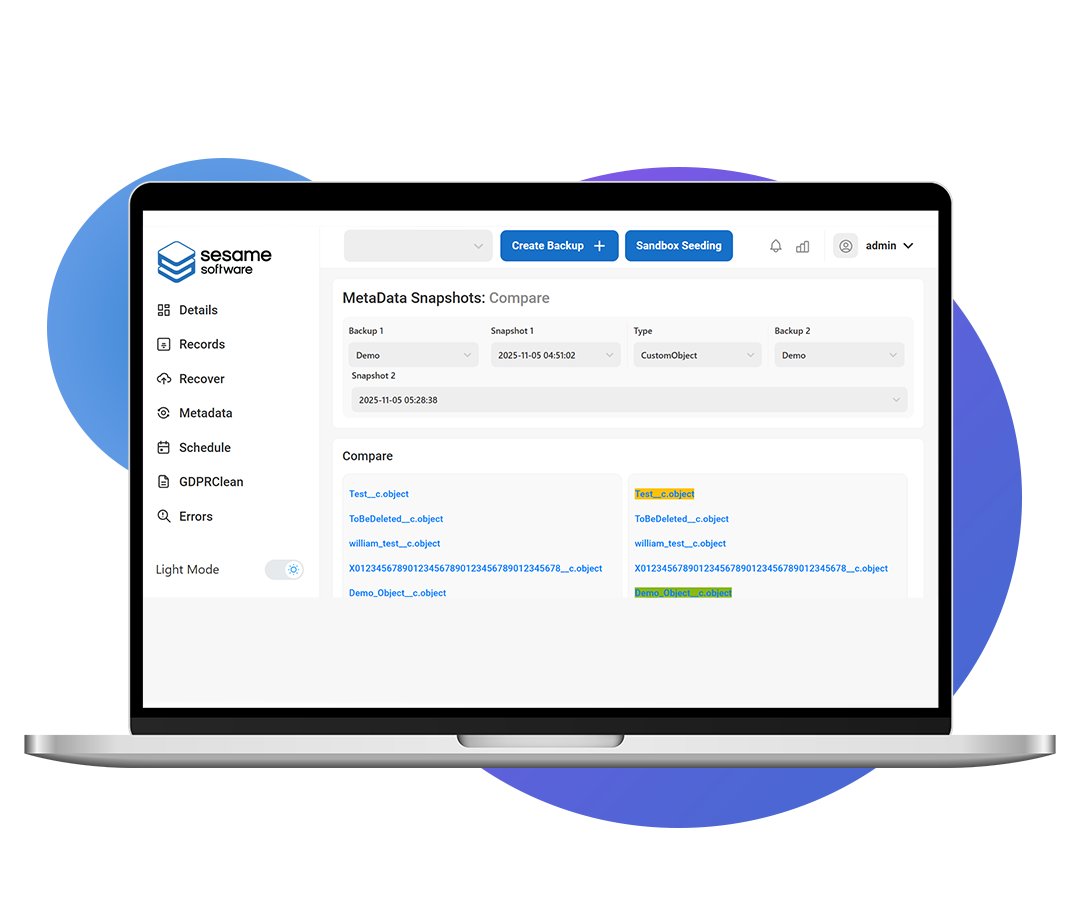
Back up org configuration and visually compare changes across environments.

Bring your own storage

AWS, Azure or on-premise. Sesame Software never holds your data.

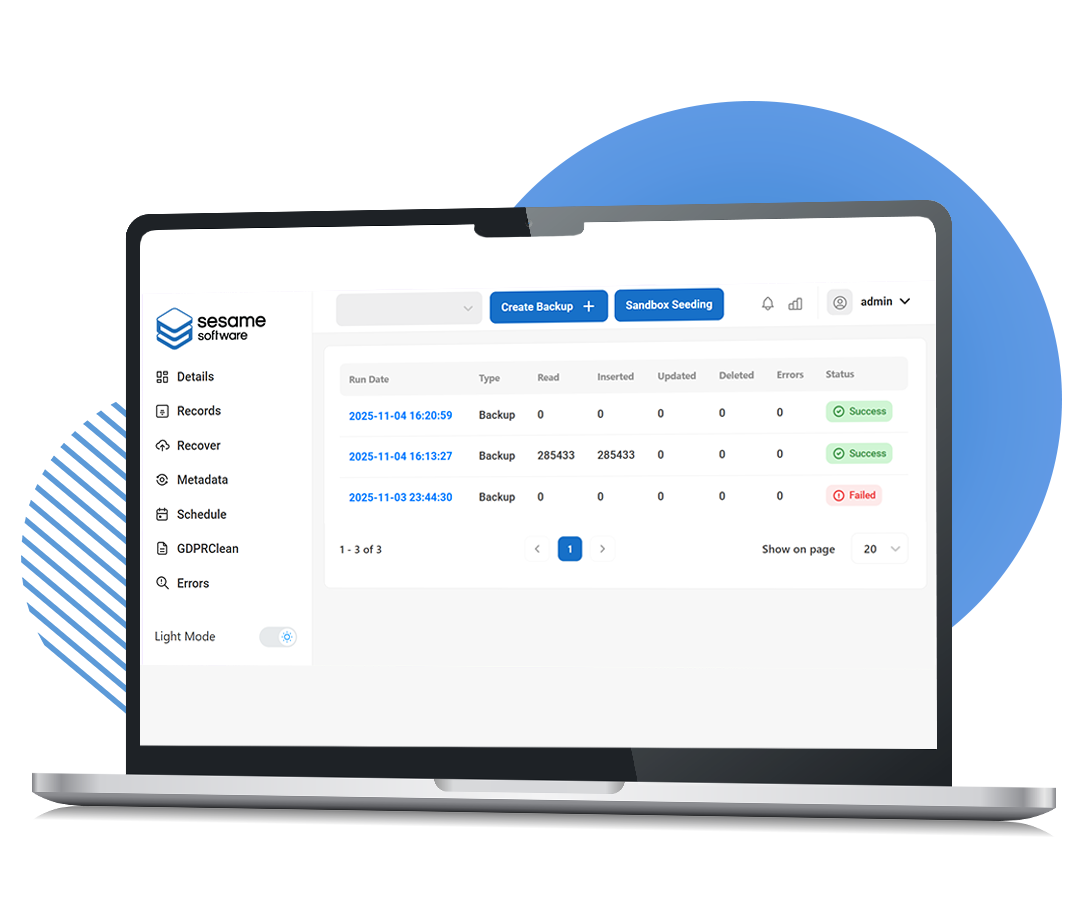
Sesame Software confirming a completed Salesforce restore
Restore complete, relationships intact.
Sesame Software visual metadata compare
Visual metadata compare across environments.

Switching from Own

Switch at renewal, with no gap in protection

You don't need to break a contract or run a migration project. Run both side by side, then let Own lapse.

1

Ideally 60 to 90 days before renewal

Book a demo and compare

See Sesame Software on Salesforce, get your flat price, and set a switch date around your Own renewal.

2

Under an hour

Set up alongside Own

Connect your Salesforce org and your storage. Your first backup runs while Own keeps running too.

3

At your renewal date

Let the Own contract lapse

With Sesame Software already protecting your org, there's nothing to cut over. Just don't renew.

From teams who run it

What Salesforce teams say

★★★★★
"Sesame Software makes backup and recovery convenient by generating daily and full backups, allowing you to restore data to any specific date and time. Since Salesforce's own backup and recovery features require a paid subscription, this extra functionality from Sesame Software is especially valuable."

Verified user

Banking, Enterprise, G2 review, Dec 2025

★★★★★
"Although we deleted a few files, the tool made backup recovery easier. The support from the Sesame Software team was available whenever we needed it."

Kiran Y., Staff Developer

Enterprise, G2 review, Dec 2025

★★★★★
"The out of the box features you get with Sesame Software — history tracking, logs, deleted records — are great to have."

Verified user

Government Administration, Enterprise, G2 review

Rated by real users on G2

G2 Users Love Us G2 High Performer Enterprise G2 Best Support G2 Highest User Adoption Enterprise Read all reviews on G2

Get your flat price before you renew

30 minutes. See it on Salesforce and leave with a number to compare against your Own quote.

Book a demo

Common questions

Questions teams ask when leaving Own

What happened to OwnBackup?

OwnBackup renamed itself Own, and Salesforce completed its acquisition of Own on November 18, 2024. Its backup products are now sold as Own from Salesforce.

How is Sesame Software priced?

Sesame Software is a flat annual price that doesn't change with your Salesforce user count or data volume. Bring your current Own quote to the demo and we'll compare the two side by side.

Can we switch before our Own contract ends?

You don't need to. Set up Sesame Software alongside Own, run both until your Own renewal date, then let the Own contract lapse. You're never without a backup and never pay twice for long.

Where does Sesame Software store our backups?

In storage you choose and control: your own AWS, Azure or on-premise environment. Your data never sits on Sesame Software's servers.

How long does setup take?

Most teams have their first backup running in under an hour, with our team handling the configuration alongside you.

Compare Sesame Software before your Own renewal

See backup and point-in-time restore on Salesforce, get a flat price, and plan a switch with no gap in protection.

Book a demo 30 minutes. No commitment. Trusted by Procter & Gamble and the U.S. Government.
Book a demo