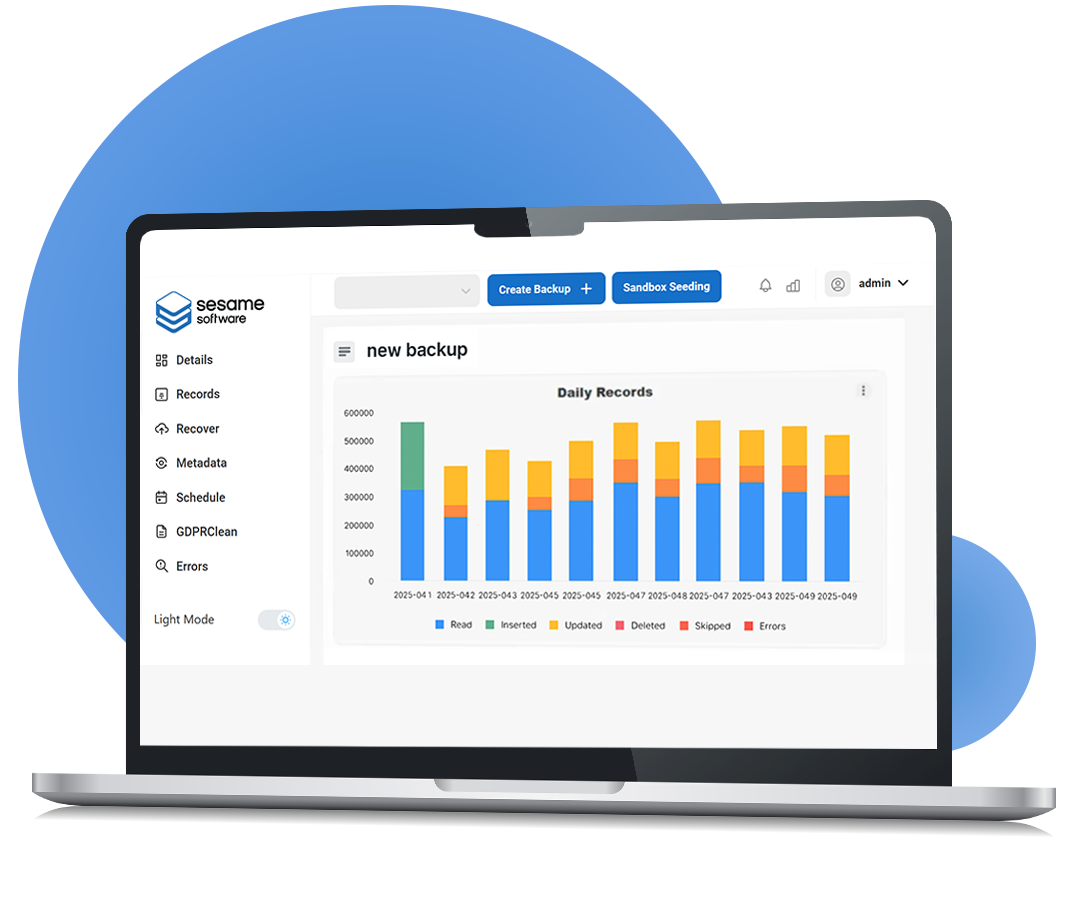
You're running Salesforce without a dedicated data recovery team, and most backup tools assume you have one — a console to babysit, a quote to negotiate, a scope that only makes sense at Fortune 500 volume. Here's what Sesame Software actually does for a team your size — and, if you want it, how we stack up against Spanning, Odaseva, and Own.
The Gap Nobody Talks About
The recycle bin holds deleted records for about 15 days, and native export isn't point-in-time recovery — most teams learn the difference the day they need it.
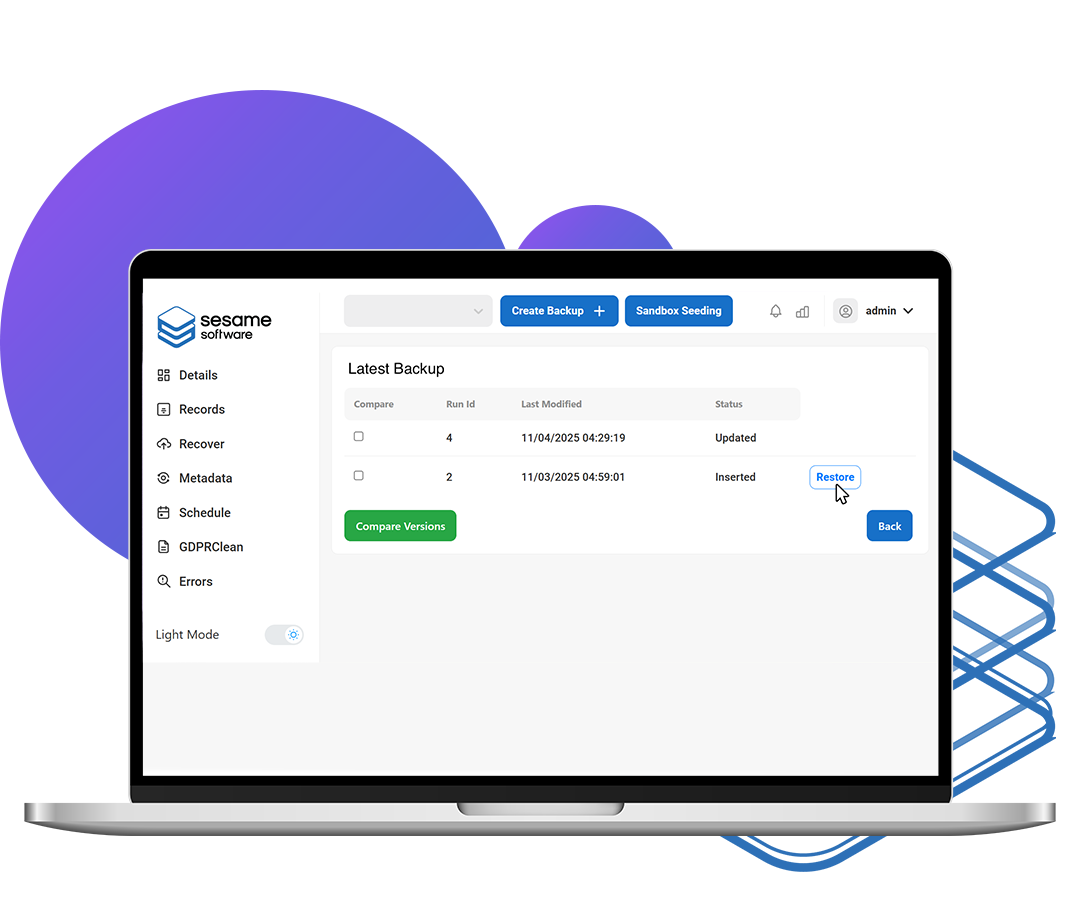
When your Salesforce team is lean — an admin, a small IT function — that gap is sharper than it looks on paper, whatever size the company around you. Here's the moment that matters: a bad import hits at 9am. You want to be the person who's restored it by 9:20 — field-level, parent-child relationships intact — not the person filing a ticket and explaining a 24-hour recovery gap.
Sesame Software was built so a lean Salesforce team can be that person: set it up once in under an hour, let it run, and when something breaks, fix it yourself in minutes.
Sesame Software Backup & Recovery
Before any side-by-side against Spanning, Odaseva, or Own — here's what the product itself does, and why it's built differently for a team without a dedicated backup admin.
The Feature That Changes the Conversation
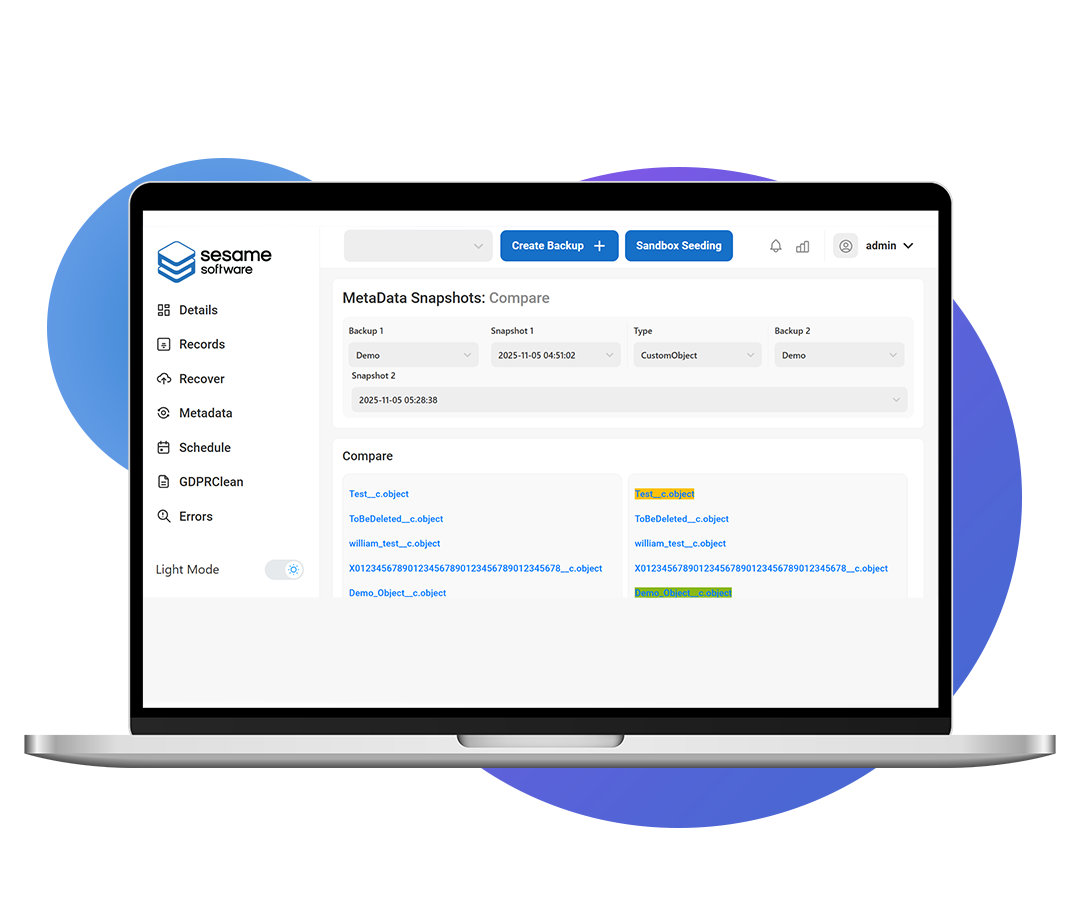
See exactly what changed between any two org configuration snapshots, field-by-field and flow-by-flow — without digging through logs or calling support. The metadata visual compare is a side-by-side slider showing the old version against the new one.
Metadata Visual Compare
Built for Teams Without a Dedicated Backup Admin
Initial configuration and your first backup typically complete in under an hour. No implementation project, no consultant required.
Point-in-time restore of any field or record, with parent-child relationships preserved automatically — so a mis-imported list doesn't turn into a ticket that needs an engineer.
And Everything Around It
Sandbox seeding with anonymization gives your team production-shaped test data without exposing real customer records — useful the moment you have more than one person touching config changes.
If you build out a release process later, a REST API and command-line execution mean backups can become a pipeline step — but nothing here requires that to get value on day one.
Incremental backups minimize API consumption with a configurable cap so a backup run can't exhaust your org's daily limit. Data replicates into a standard SQL database your reporting tools can query directly.
Priced per GB of data protected — add users, add admins, add reporting seats, and your rate doesn't move. The only number that drives your bill is how much you're actually safeguarding, and retention rules and archiving give you a direct lever to manage it.
Also From Sesame Software
Comprehensive features designed to streamline data retention, facilitate GDPR compliance, and manage Salesforce data effectively. This differs from replication as it involves moving a static set of data that remains unchanged for multiple purposes. Available for Salesforce.
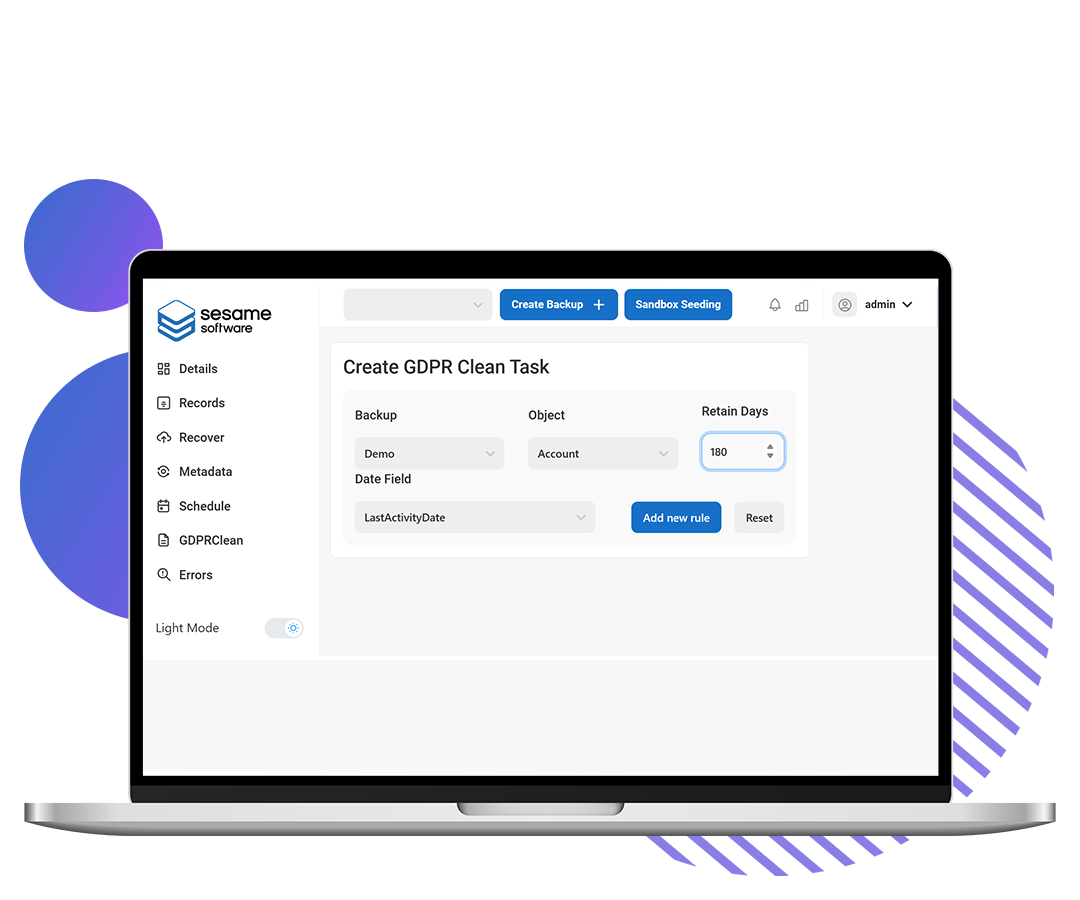
Set retention rules and automatically purge snapshots based on date, with additional filtering options available. Includes GDPR compliance for clean/deletes based on individual records.
Facilitates moving data out of Salesforce to manage storage and costs effectively. Retains backups in easily restorable locations for future use, optimizing storage space and cost efficiency.
The Storage Bill Your Backup Vendor Ignores
Salesforce charges for every gigabyte over your allocation, and claims- and document-heavy orgs hit that limit fast. Sesame moves historical records and files into a standard SQL database in your own infrastructure — fully queryable, for reporting, audits, and compliance.
Also From Sesame Software
Streamline sandbox setup and enhance data security with Sesame Software.
Send a copy of production data to new sandboxes along with relationships for the relevant data, enabling comprehensive testing environments.
Choose specific data to send to sandboxes for smaller test environments with limited data, enhancing efficiency and focus.
Specify objects and children from a production copy to seed into a sandbox environment, while anonymizing sensitive data to ensure security and compliance.
Speed up development time by automating the data loading process, eliminating the need for manual CSV file loading. Avoid replacing IDs on child records for seamless data continuity.
Safeguard sensitive information by allowing the scrambling of personally identifiable data, ensuring data privacy and regulatory compliance.
Now, The Comparison
You've seen what Sesame Software does. Here's the same picture next to three vendors — evaluated on the same criteria, side by side.
| Sesame Software | Spanning (Kaseya) | Odaseva | Own (Salesforce) | |
|---|---|---|---|---|
| Independent of Salesforce | ✓ Yes — independent since 1988 | ✓ Yes — owned by Kaseya | ✓ Yes — independent, VC-backed | ✗ No — acquired by Salesforce in 2024 |
| Where your backup lives | Your infrastructure on every tier | Spanning's cloud | Odaseva's platform; VPC isolation on higher tiers | Salesforce's platform |
| Deployment options | On-premise, cloud, or hybrid | Cloud only | Vendor-managed cloud | Salesforce-managed cloud |
| Backup frequency (RPO) | As often as every 5 minutes* | Daily | High-frequency, enterprise RPO/RTO targets | Daily and on-demand; continuous available |
| Metadata compare + restore | Visual compare on every tier; programmatic restore on Pro/Enterprise* | ~ Limited — point-in-time metadata comparison | ✓ Yes | ~ Delta compare is a paid add-on |
| Sandbox seeding + anonymization | ✓ Included* | ✗ Not offered | ✓ Included | ~ Additional cost |
| Archiving / storage relief | ✓ Included in the bundle — archive to your own database, fully queryable | ✗ Not offered | ✓ Yes — separate enterprise module | ~ Separate product, additional cost |
| Setup — realistic timeline | Under an hour | A few hours | Typically weeks to months, often with a consultant | Days |
| Requires ongoing specialist admin? | ✓ No — set-and-monitor | ✓ No | ~ Often, given platform depth | ✓ No |
| Pricing model | Priced on data protected (GB) — one scoped annual figure, committed in writing for the term | Per user, quote-based | Quote-based, scoped to org size and volume | Quote based through Salesforce |
| Beyond Salesforce | Endless endpoints — NetSuite, Oracle, Dynamics, DB2/AS400, and any JDBC source via bring-your-own-driver | Microsoft 365, Google Workspace | Salesforce only | Salesforce-focused |
| Sized for | Growing teams, one to several orgs, lean IT | SMBs standardizing on one SaaS backup vendor | Global enterprise, extreme volume, heavy regulation | Existing Salesforce shops defaulting to the bundled option |
* High-frequency backup, sandbox seeding, programmatic metadata restore, and advanced GDPR tooling require a Pro or Enterprise plan.
The Questions That Actually Matter at Your Size
Question 01
Odaseva is built for the enterprise data teams that manage petabyte-scale, globally regulated environments — which means the platform's depth comes with a matching setup curve. Reviewers report implementation timelines measured in months, often with a consultant involved. It's a lot of platform for a five-person IT function.
Spanning and Own are both simpler to get running, which is fair — but "simple" still means a console someone has to check.
Sesame Software is built to be configured once and largely left alone: a first backup running in under an hour, no consultant, no dedicated admin. If it breaks your workflow to check a dashboard every week, it's the wrong tool for a lean team regardless of which vendor built it.
Question 02
Spanning backs up daily. For a growing business running real-time deals through Salesforce, up to 24 hours of exposure is a long time to lose — a bad data import at 9am can sit uncaught until the next day's backup runs.
Sesame Software captures as often as every five minutes, with point-in-time restore down to the field level. Odaseva and Own both offer high-frequency or continuous options as well, generally scoped to their higher tiers — worth confirming against the plan you'd actually buy, not the plan in the datasheet.
Question 03
A Salesforce org isn't just records. It's custom objects, fields, flows, validation rules, permission sets, page layouts — the configuration your business actually runs on. When something breaks, restoring data without its metadata is often impossible: the records come back, but the org they lived in doesn't.
Coverage varies far more than the datasheets suggest. Independent 2026 analyses report Spanning supports roughly 17 metadata types — out of the 700-plus Salesforce's Metadata API exposes — leaving most customization unprotected. Own covers metadata more deeply, but prices its delta compare as a paid add-on on top of the base cost. Sesame Software backs up data and metadata together, with Visual Metadata Compare on every tier: see exactly what changed between any two org snapshots, field by field and flow by flow, and restore it.
Ask every vendor on this page the same two questions, in writing: how many metadata types do you actually cover, and what does a metadata compare-and-restore cost me on the plan I'd buy?
Question 04
Some vendors price per seat: every hire, every contractor, every new reporting login adds to your bill, whether or not that person ever touches Salesforce data. Sesame prices by the data you're actually protecting — expand your team, stand up new business units, add admins, and your rate doesn't move because of headcount.
Data volume is also the one number you can see and manage directly, through retention rules and archiving, rather than a number driven by hiring decisions that have nothing to do with backup. Ask any vendor on this list — including us — for a three-year price at your projected data volume, in writing, and hold everyone to the same test.
Head to Head
Sesame Software vs. Spanning
✓ Why Sesame Software
A recovery point measured in minutes rather than a day, and your backup data in infrastructure you control — not Spanning's cloud.
About Spanning
Fair if you're standardizing SaaS backup across Microsoft 365, Google Workspace, and Salesforce under one vendor. Cloud-only, with reporting and alerting reviewers flag as thin once a team scales past a handful of admins.
Sesame Software vs. Odaseva
✓ Why Sesame Software
The same security fundamentals — customer-held data, unlimited retention, SOC 2 Type II — without the enterprise price tag or the multi-month rollout.
About Odaseva
Built for global enterprises managing extreme data volume under heavy regulation. For a lean Salesforce team — whatever size the company around it — most of that depth goes unused while you pay enterprise pricing and an enterprise timeline for it.
Sesame Software vs. Own
✓ Why Sesame Software
Your backup pricing and your Salesforce relationship stay two separate conversations — with a copy of your data that exists independently of either.
About Own
The deepest native Salesforce integration on this list — but also, since its 2024 acquisition, the only option where your backup vendor and CRM vendor are the same company. Delta compare and sandbox seeding are priced as add-ons.
How to Evaluate Any Vendor on This List
These questions are built to surface exactly what a lean team needs to know before signing — regardless of which vendor answers them.
Ask what it takes to get your first backup running — hours, or a scoped implementation project?
Ask if you need a specialist to maintain it — or if your current admin can own it alongside everything else.
Confirm the RPO on the plan you'd actually buy — not the plan in the datasheet.
Ask for a three-year price at your projected headcount and data volume, in writing.
Ask where the backup physically lives — and what it costs to move it to your own infrastructure.
Ask what happens to your data if you switch vendors. Get the export path in writing. If a vendor gets vague on this, that's useful information before you sign.
Common Questions
We don't have anyone dedicated to managing a backup tool.
Setup is typically under an hour, and Sesame Software is built to run without a specialist checking a console.
What does this cost as we grow?
Backup & Recovery is priced on the data we protect, scoped to your environment as one annual figure and committed in writing for the term — growth during the term doesn't change your bill. Before you sign with anyone, ask for the multi-year number in writing; we'll give you ours.
Can we keep the data ourselves?
Yes — on-premise, your own cloud storage, or hybrid, on every tier.
Before You Install
Everything your team needs to know about server specs, supported environments, and deployment prerequisites before your technical evaluation and install call with our support team.
Backup & Recovery installs separately from anything else you're running — including the Sesame Data Platform, if you're already a customer. We'll get it running alongside your current setup so you can evaluate it in parallel with Own, Odaseva, and Spanning, with no disruption to your existing jobs. If the numbers work and the product fits, great. If not, we'll tell you that too.
All claims on this page verified as of August 21, 2026 · Privacy Policy